AI-Powered Invoicing Software & Free Invoice Generator | InvoiceFeed

Simple invoicing for small businesses

Free invoice generator and simple invoicing software for small businesses.

Create professional invoices, manage clients, and keep payment admin organised without messy spreadsheets or awkward follow-ups.

Built for freelancers, consultants, agencies, tradespeople, transport businesses, creatives, and small business owners.

  • Create invoices in minutes
  • Track payment admin
  • Manage client billing simply

Free plan available · No credit card required · Built for service-based businesses

A simple option when you want something more organised than spreadsheets and less complex than full accounting software.

Stripe-powered payment workflowsFast invoice creationClient billing managementInvoice PDF exportAI-assisted reminders planned

Free

Plan available

Stripe

Payment support

PDF

Invoice export

UK

Friendly positioning

Product

Enable any billing model

Recurring plans, usage-based sends, and payment status in one workspace—with meters and trends that update as your business grows.

Growing plan

Billed monthly

Usage meter

Invoices · No extra fee per send on plan

Monthly sends72% of limit

Invoices sent in the last 30 days

2,847
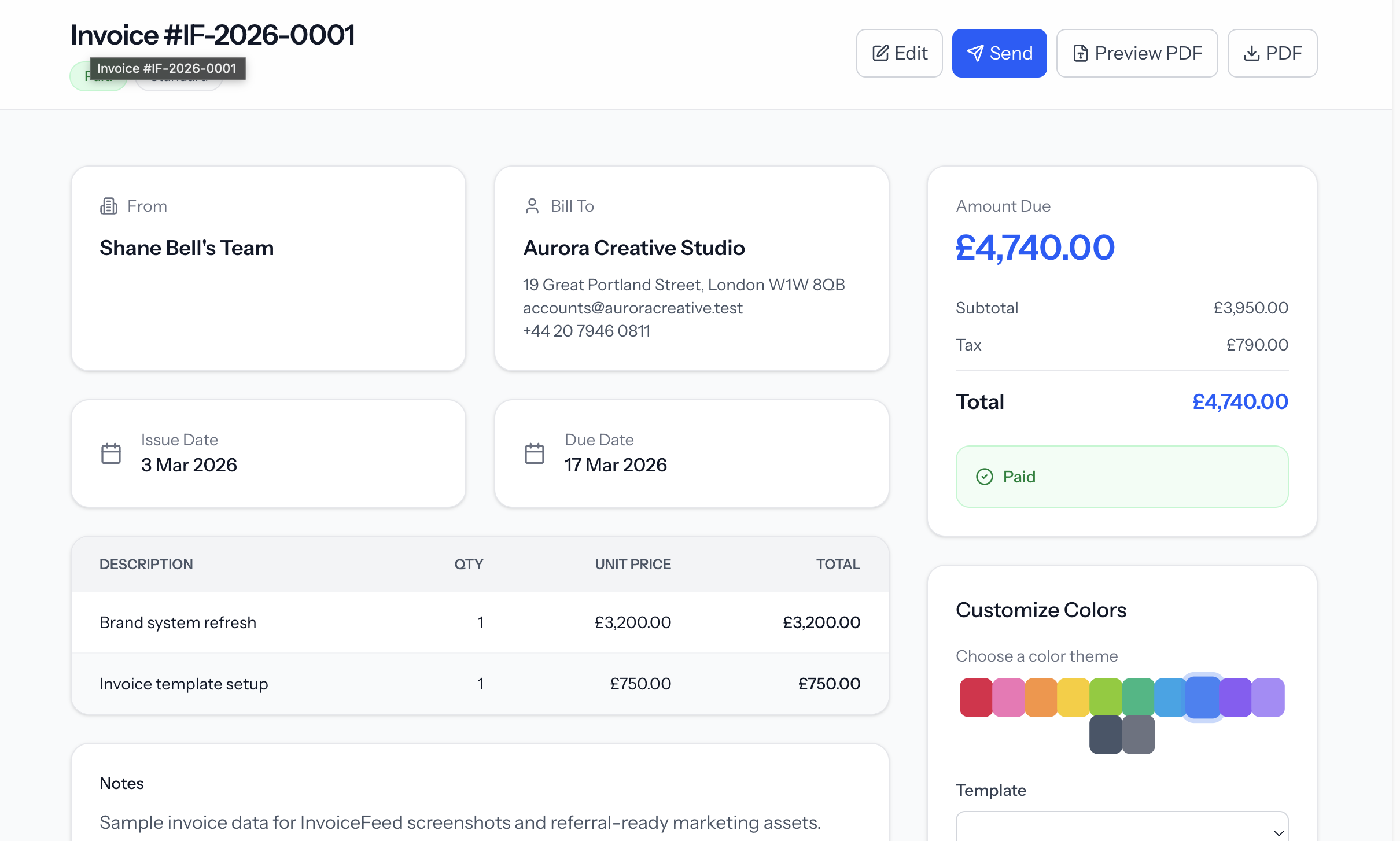
Invoice creation

Draft, customize, preview, and send polished invoices from one focused workspace.

InvoiceFeed invoice detail screen showing invoice amount, status, line items, and actions

Payment tracking

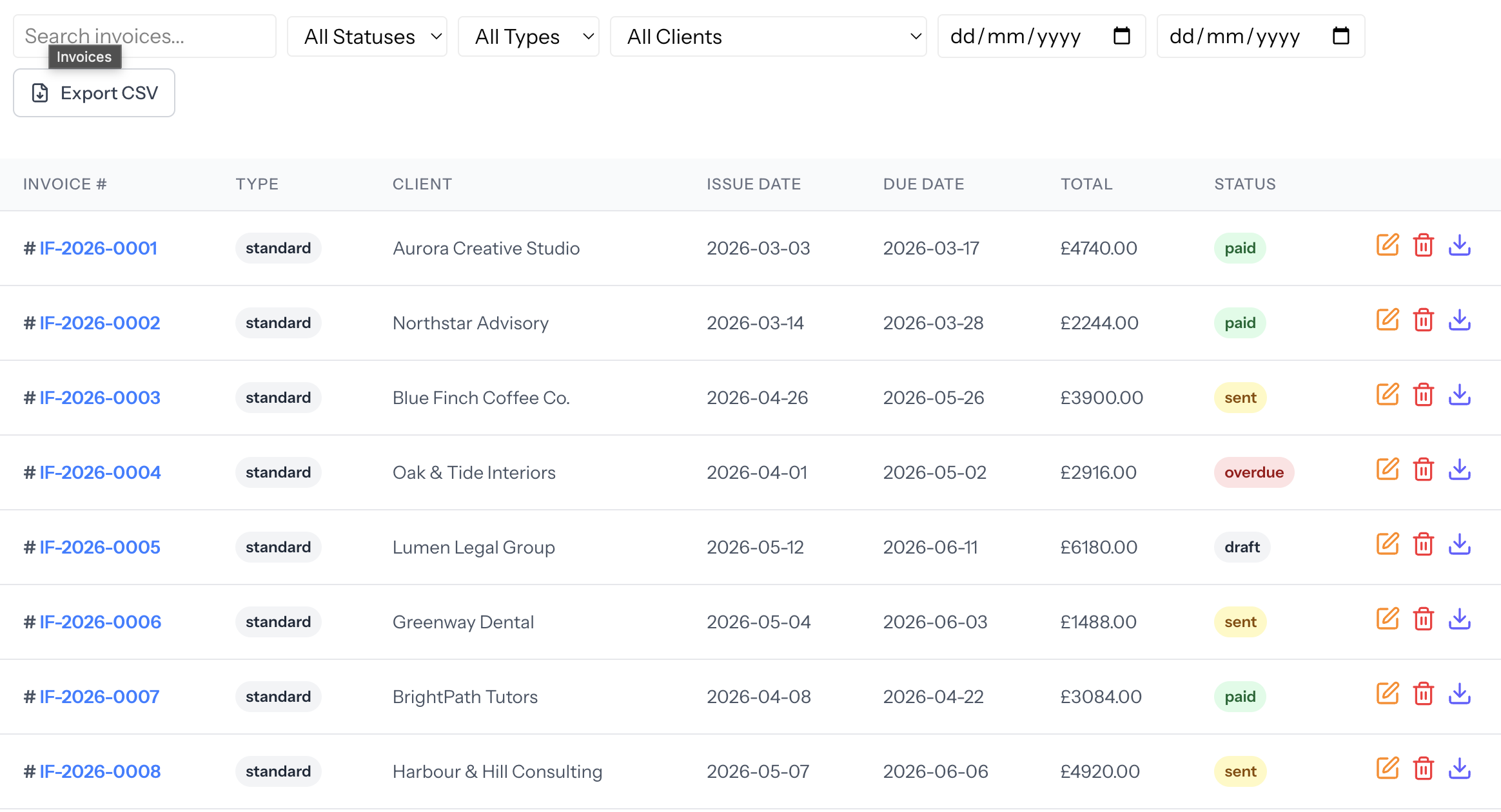
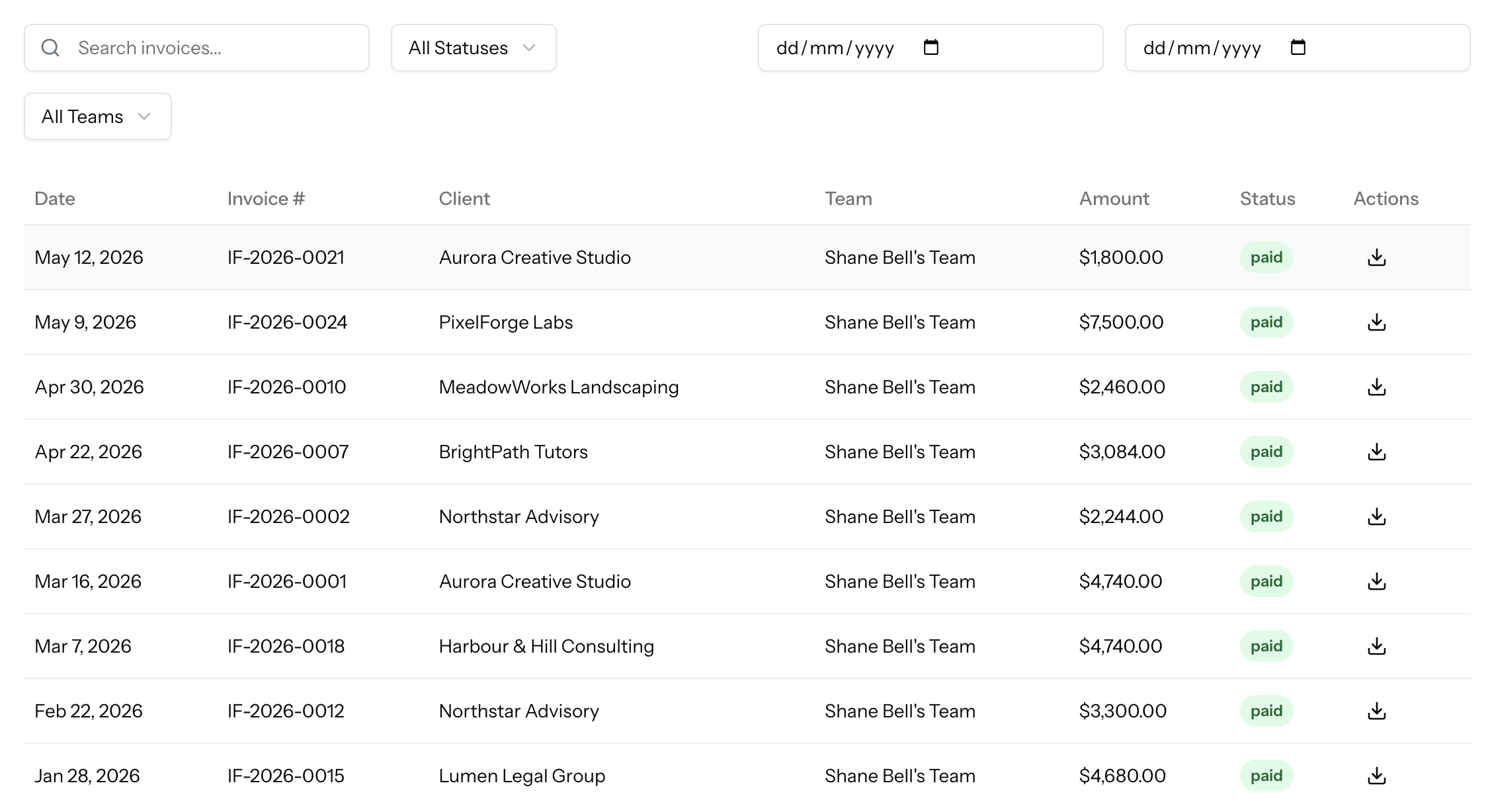
Monitor paid, sent, overdue, and draft invoices from a clean billing table.

InvoiceFeed invoice list showing client names, dates, totals, and payment statuses

Client management

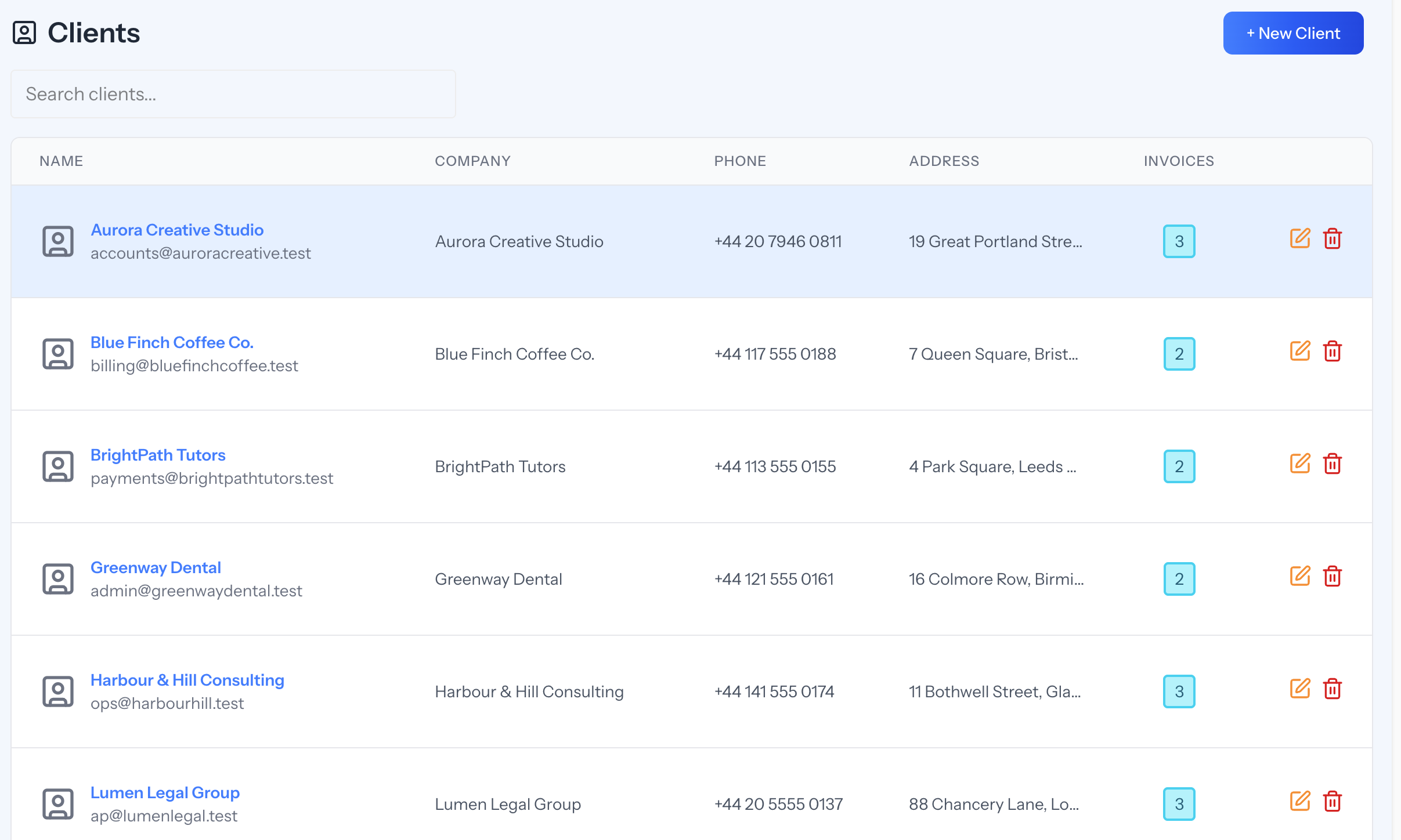
Keep client records, billing contacts, and invoice history easy to scan.

InvoiceFeed clients list with contact details, addresses, and invoice counts

Platform

Embed invoicing in your platform

Like Stripe Connect for payments, InvoiceFeed helps platforms surface invoices, payment status, and client billing in one embeddable experience.

app.invoicefeed.com/invoices
InvoiceFeed invoice list with statuses and client namesInvoiceFeed invoice detail with line items and payment actionsInvoiceFeed branded invoice previewInvoiceFeed compact invoice tableInvoiceFeed payments and invoice activity

Northline Studio

Thank you! Your payment was successful.

Invoice
#INV-2041
Date
20 Feb
Payment method
Paid · Stripe
Total
£1,240.00

Outcomes

Still using spreadsheets instead of invoicing software?

Spreadsheets, Word templates, and old PDFs can work at the start, but they become messy once you have more clients, more invoices, and more payments to track.

Make payment easier

Clear line items, due dates, and payment details reduce friction so clients understand what they owe and when.

Simplify billing

Draft-first workflows and a calm interface replace the maze of fields you see in legacy invoicing tools.

Manage clients with ease

Keep contacts, invoices, and status in one place—built for freelancers and agencies juggling many relationships.

Reduce admin work

Reusable client and invoice details help you spend less time rebuilding paperwork and more time on delivery.

Track invoices in real time

See invoice status more clearly instead of reconstructing billing history from email threads and saved PDFs.

Fewer surprises

Consistent totals, structured details, and professional PDFs help clients review invoices with fewer questions.

How it works

Four invoicing software steps to clearer billing

  1. Step 1

    Add business details

    Set up your business information once and use it across your invoices.

  2. Step 2

    Add your clients

    Keep client details organised so you do not have to rewrite the same information every time.

  3. Step 3

    Create and send invoices

    Generate professional invoices quickly and keep track of what has been issued.

  4. Step 4

    Stay on top of payments

    Use InvoiceFeed to keep your invoice admin clear and easier to manage.

Templates

Professional invoices, ready to brand

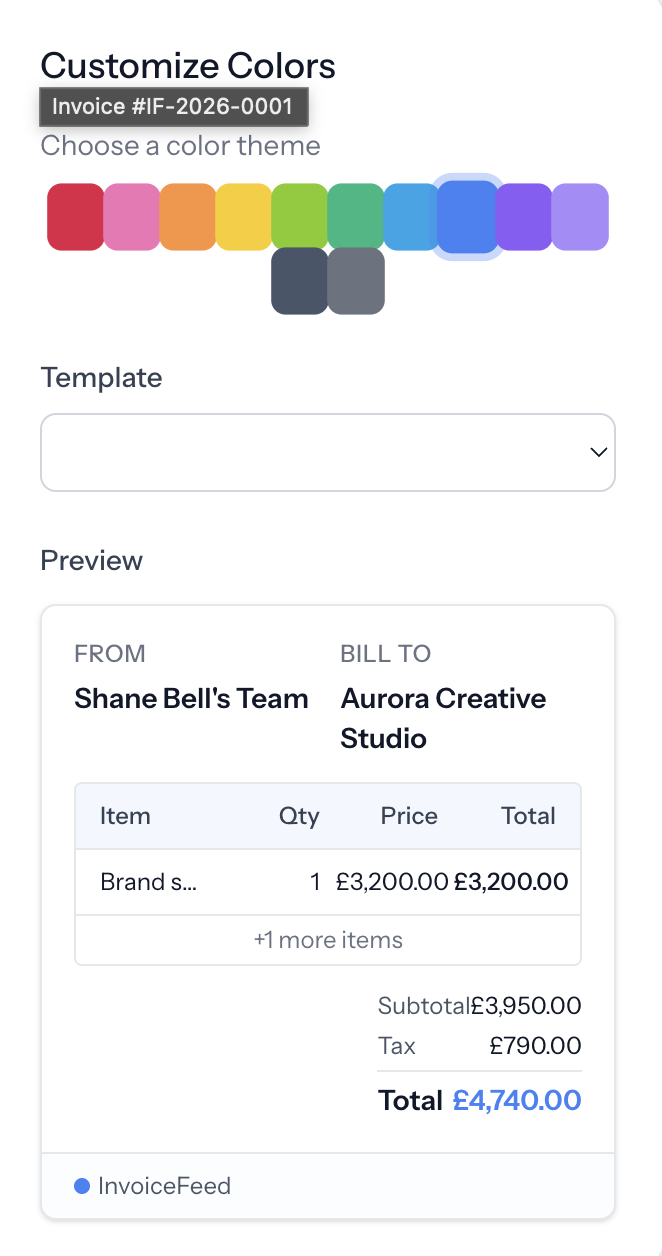
Pick a layout, match your colors, and send PDFs clients actually want to pay—without rebuilding your process.

Classic Professional

A timeless layout with clear hierarchy—ideal for agencies, consultants, and service businesses.

  • Logo and brand color header
  • Structured line items and totals
  • PDF-ready for client delivery
Explore classic template

Modern Minimal

Clean typography and whitespace that keeps the focus on what your client owes and when.

  • Accent stripe and airy spacing
  • Compact bill-to and due date blocks
  • Works great for retainers
Explore minimal template

Creative Bold

Stand out with a confident header and polished totals—built for studios and creative teams.

  • Gradient header with brand color
  • Highlighted total callout
  • Memorable first impression
Explore creative template

Corporate

Formal structure for B2B billing with supplier and client blocks your finance team expects.

  • Tax invoice labeling
  • Two-column party details
  • Amount due summary strip
Explore corporate template

Every template supports your logo, accent color, and line-item structure.

Browse all templates

Trust

Built for teams that take billing seriously

  • Stripe-powered payments where payment workflows are enabled.
  • Secure authentication and encrypted traffic for account activity.
  • Cloud-based access so your billing workspace is available wherever you work.

Built and operated by Quantara Digital Ltd

Built by Shane Bell, a software developer focused on helping small businesses simplify invoicing, admin, and client workflows.

Who InvoiceFeed is for

“A freelancer can use InvoiceFeed to create professional invoices, keep client details organised, and move away from scattered documents and spreadsheets.”

Freelancer use case

Project and retainer billing

“A consultant can invoice for sessions, projects, and retainers while keeping payment status clearer than it would be in email threads.”

Consultant use case

Advisory and project billing

“A tradesperson can turn labour, materials, and job details into a clear invoice instead of rebuilding the same document by hand.”

Trades use case

Jobs, materials, and deposits

“A small service business can keep invoice admin in one place without jumping straight into a complex accounting platform.”

Small business use case

Client billing admin

“An agency can invoice deposits, milestones, retainers, and support work with a more consistent process across client accounts.”

Agency use case

Retainers and project invoices

“A transport business can use simple invoice records to keep delivery jobs, corporate accounts, and monthly billing easier to follow.”

Transport use case

Courier and account billing

Start sending professional invoices today.

Create your account, invite your team when you are ready, and ship your first invoice in one sitting.

Free plan available · Upgrade when you are ready · No surprises on your statement